Streamline Your Content: The Ultimate EBook Templates for Canva
If you are a course creator, blogger, or small business owner, you have likely faced the dreaded "blank page" syndrome. You have the expertise, the content, and the audience, but translating that into a polished, professional digital product often stalls at the design phase. This is where the strategic use of EBook Templates for Canva changes the game. It is not just about aesthetics; it is about removing friction from your publishing workflow. Instead of spending hours wrestling with alignment, font pairings, and margins, you can focus entirely on your message and value proposition.
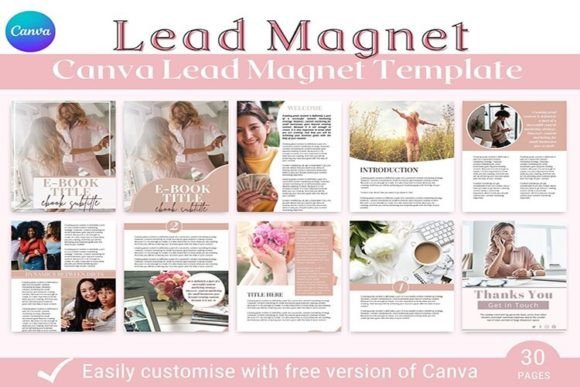
The specific template set we are analyzing today is a masterclass in functional design. It is built around the US Letter (8.5" x 11") format, which remains the industry standard for digital downloads and home printing. However, the true value lies in the architecture of the 26-page layout. This collection is designed not just to look good, but to serve specific strategic purposes within your brand identity. It includes distinct sections for a Welcome Page, About the Author, and multiple Content layouts, ensuring that your reader follows a logical narrative journey. Whether you are using this as a standalone eBook template or a supplementary workbook template for a larger course, the structure supports your goals.
Design Functionality: More Than Just Pretty Pages
When we talk about modern typography and layout in the context of these Canva template designs, we are really talking about hierarchy. A common mistake in DIY publishing is the lack of visual hierarchy, which confuses the reader about what is most important. This template suite solves that by pre-defining your header styles, body text placement, and call-to-action blocks. The visual characteristics are intentionally versatile—clean lines, ample white space, and a balanced grid system. This personality allows the design to adapt to a wide variety of niches, from fitness coaching to business strategy, without looking out of place.
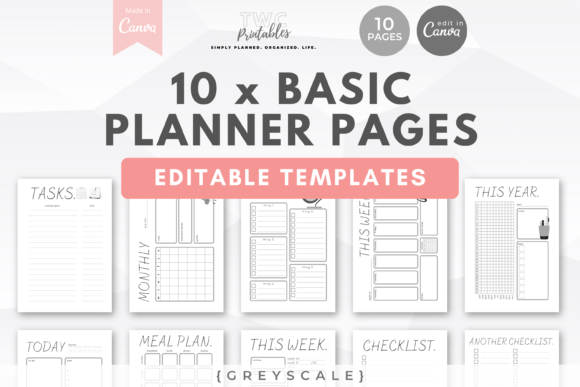
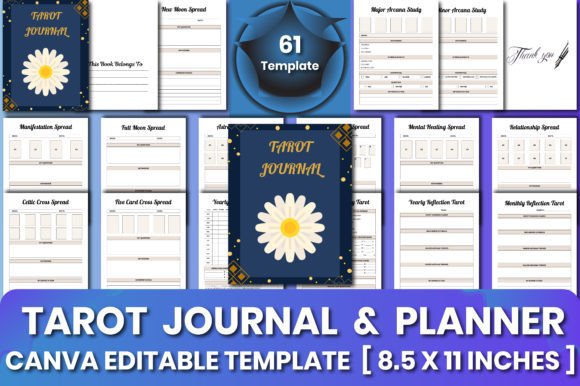
Consider the "Tip Pages" and "Checklist Pages" included in the set. These are high-engagement assets. In editorial design, breaking up long blocks of text is essential for retention. By having five pre-designed Tip Pages, you can insert bite-sized, actionable advice that keeps the reader scrolling. Similarly, the Checklist Page is a conversion tool; it provides immediate, tangible value that makes the reader feel they have gained something practical. This is the kind of premium font and layout work that usually requires a freelance designer, but here it is packaged for immediate use.
Strategic Applications for Entrepreneurs and Creators
The utility of this specific eBook template Canva extends far beyond simple reading material. For the digital marketer, this file is a powerful PDF template for blogger lead magnets. The inclusion of two distinct Cover Pages allows for A/B testing. You can create two versions of your lead magnet with different titles or visual hooks to see which one captures more email subscribers. This is a tactic often used in high-level web design and marketing funnels, now made accessible to small business owners.
Furthermore, the distinction between an eBook and a workbook template often blurs in course creation. An eBook provides the theory, while a workbook provides the space for application. Because this template includes 12 Content Pages and a Welcome section, it can easily serve as the "workbook" component of your online course. You can edit the content pages in Canva to include lines for note-taking, reflection questions, or specific exercises. This versatility makes it a cornerstone design asset for anyone building a digital education ecosystem.
Visual Hierarchy and Brand Consistency
One of the most significant challenges in packaging design and digital publishing is maintaining consistency. If your Instagram graphics look different from your blog, which looks different from your eBook, your brand suffers. This is why a robust Canva template is vital. It acts as a visual anchor. By utilizing the "About the Author" page and the two "Table of Contents" layouts, you establish a professional tone immediately.
The style of these templates leans towards a clean, modern aesthetic. It avoids overly ornate script font or handwritten font styles in the body text, prioritizing readability. This is a crucial design observation. While a display font might look stunning on a header, using it for long-form reading causes fatigue. This template set likely pairs a strong, attention-grabbing header style with a highly legible sans serif font or serif font for the body. This balance ensures that your content is accessible to the widest possible audience, including those reading on smaller screens or printing the document at home.
Practical Implementation and Customization
For those wondering how to best utilize this creative font and layout system, the process is straightforward but requires a strategic touch. When you open the eBook template in Canva, your first step should be to globalize your brand colors. Do not leave the default palette. Use the "Edit Style" feature to input your hex codes so that every button, header, and accent line reflects your brand identity.
Next, look at the font pairing. If the template uses a combination of a bold geometric header and a classic body text, respect that relationship. It is engineered for readability. However, if you must change the typeface, ensure you are swapping like-for-like. Replace a sans serif font with another sans serif, not a script. This maintains the structural integrity of the design. Remember, this is a commercial font and design structure intended to save you time; over-complicating it defeats the purpose.
Finally, consider the "Thank You" page. In social media graphics and digital products, the final page is prime real estate. Do not leave it as a generic sign-off. Use this space for a specific call to action—whether that is joining a Facebook group, booking a consultation, or leaving a review. The template provides the structure, but you provide the strategy. By treating this workbook template not just as a document but as a strategic marketing funnel, you maximize your return on investment and create a cohesive, professional experience for your audience.