Canva Book Cover Templates: KDP Ready
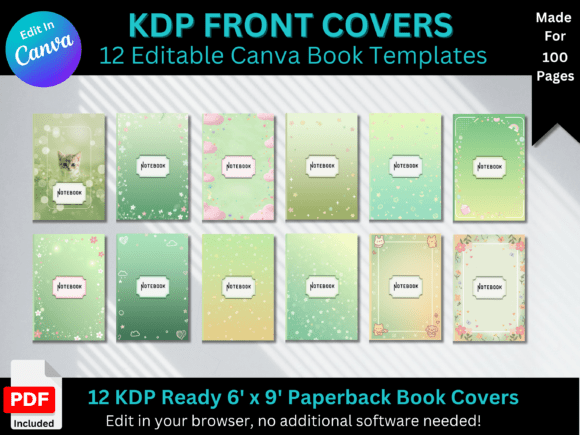
When you're ready to publish a journal, notebook, or diary on Amazon KDP, the cover is the first thing readers see—and it needs to work hard. Canva Book Cover Templates: KDP Ready gives you a practical shortcut. This set includes 12 journal front cover templates sized at 6 x 9 inches, designed to look polished and professional right out of the gate. Each design carries a modern, creative personality that feels contemporary without being trendy in a way that will date quickly. Think clean lines, balanced compositions, and thoughtful use of space—covers that signal quality to a browsing buyer.
What makes these templates genuinely useful is the flexibility baked into the package. You receive both KDP-ready PDFs for immediate upload and editable Canva links, so you can adjust fonts, swap colors, rearrange elements, or add your own branding touch. The visual style leans toward modern typography with a creative edge—layouts that use hierarchy effectively, where the title area commands attention without overwhelming supporting text. Whether you prefer a minimalist aesthetic or something with more visual texture, the templates offer enough room to make each cover distinctly yours.
Where These Covers Fit Into Your Publishing Workflow
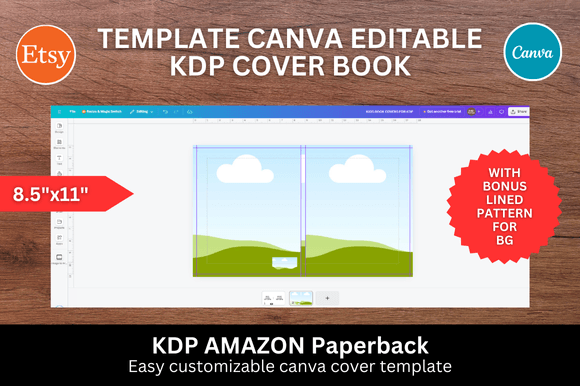
If you're a self-publisher, small business owner, or content creator looking to produce journals or notebooks as products or brand assets, these templates solve a real problem. Designing a book cover from scratch requires understanding bleed areas, safe zones, spine dimensions, and KDP's specific upload requirements. Canva Book Cover Templates: KDP Ready handles that technical foundation so you can focus on the creative side.
The 6 x 9 inch size is a standard that works well for journals, planners, guided notebooks, and even short-form content books. Here's where these templates shine in practical terms:
- Amazon KDP Publishing: Upload the included PDFs directly or customize in Canva first. The files are formatted to meet KDP specifications, which eliminates the guesswork around resolution and dimensions.
- Printable Journals: If you sell digital downloads through Etsy, Gumroad, or your own website, these covers give your printable products a professional appearance that justifies the price point.
- Custom Notebooks: Entrepreneurs and marketers can create branded notebooks for client gifts, event swag, or internal team use—turning a simple notebook into a brand identity touchpoint.
- Content Creator Merchandise: Bloggers, YouTubers, and podcasters can design journals that extend their personal brand into physical products.
The modern design language across the 12 templates means you're not stuck with clip-art-looking covers that scream "template." Each one uses current design sensibilities—considered spacing, intentional color palettes, and typography that feels editorial rather than generic. This matters because cover design directly influences perceived value. A well-designed cover suggests a well-made interior, even before someone reads a single page.
Making the Templates Work for Your Brand
Here's the honest truth about templates: they're a starting point, not a finished product. The real value of Canva Book Cover Templates: KDP Ready comes from how you adapt them. Canva's editor makes this accessible even if you're not a designer by trade. You can change the typeface to match your existing brand identity, adjust the color palette to align with your other design assets, and swap out decorative elements to reflect your specific audience.
A few practical recommendations for getting the most out of these covers:
- Test your title readability at thumbnail size. Most buyers will first encounter your cover as a small image on Amazon search results. Zoom out in Canva or view the design on your phone to make sure the title remains legible at a glance. This is where strong visual hierarchy earns its keep.
- Consider font pairing carefully. If you swap the template's default typeface, pair a clean sans serif font for the title with something complementary for the subtitle or author name. Avoid mixing two decorative fonts—let one do the heavy lifting while the other supports.
- Match the cover personality to your audience. A gratitude journal aimed at wellness-focused adults should feel different from a productivity planner marketed to entrepreneurs. The templates give you a modern foundation, but your color and typography choices should speak directly to your specific reader.
- Use the free KDP interiors included. A polished cover paired with a poorly formatted interior creates a disconnect. Take advantage of the included interior files to maintain consistency from cover to content.
Evaluating Whether These Templates Are Right for Your Project
Not every project needs the same approach. Before committing, ask yourself a few questions. Is your journal or notebook going to live on Amazon KDP specifically, or are you creating something for print-on-demand through another service? The KDP-ready PDFs are optimized for Amazon's platform, but the Canva files can be adapted for other print services with minor adjustments to dimensions or bleed settings.
Think about your audience engagement goals too. A cover isn't just decoration—it's a communication tool. The right design signals who the journal is for and what kind of experience they can expect inside. Modern, minimalist covers attract a different buyer than ornate, illustrated ones. With 12 templates in this set, you have enough variety to produce a small product line without every cover looking identical, which helps with recognition across your catalog while keeping individual products distinct.
For those working on commercial projects—selling journals as part of a business, creating branded merchandise, or building a publishing catalog—the included commercial licensing terms matter. Review them to confirm the templates cover your intended use. In most cases, these kinds of template packages allow you to sell the finished product (the published journal or notebook) but not redistribute the editable template files themselves. That's standard and reasonable.
Ultimately, Canva Book Cover Templates: KDP Ready is a practical design asset for anyone who wants professional-looking journal covers without hiring a designer for each title. The combination of ready-to-upload files and full editability through Canva means you can move from concept to published product quickly, while still maintaining creative control over the final result. Whether you're launching your first notebook or adding to an existing catalog, these templates give you a solid foundation to build from.